Interactive mode (TUI)
The terminal UI — editor features, keyboard shortcuts, slash commands, and themes.
phi (or phi tui) starts the TUI: a chat transcript on top, an editor at
the bottom, and a footer with the current activity. When a newer release is
available, the footer shows a hint like 0.2.0 available · phi update.
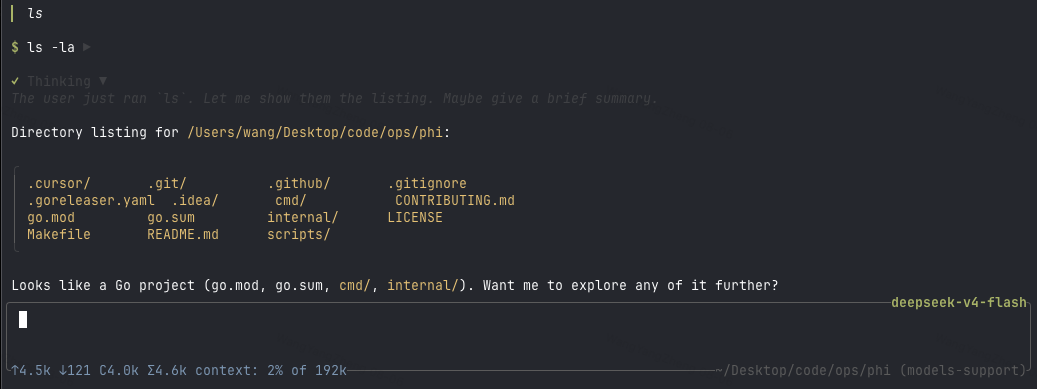
Assistant output is rendered as Markdown (CommonMark/GFM): headings, emphasis,
strikethrough, links, blockquotes, lists, task checkboxes, and tables are
styled with the active theme; fenced code blocks get a muted language caption
and per-language syntax highlighting. Structural markers (#, backticks,
*) are stripped.
Editor
@— fuzzy file mention picker (type@and start typing a path)/— slash command picker (/sessions,/resume,/clear,/diff)?— shortcut help picker (lists/,!,@, and key bindings;Esccloses)!command— run a shell command locally and stream its output into the transcript (see Commands)Ctrl+K— command palette: settings → model / theme / permissions / agents (incl. per-role models), skills, extensions
Keyboard shortcuts
| Key | Action |
|---|---|
Ctrl+C |
Quit phi |
Esc |
Cancel the running agent / close pickers |
Ctrl+K |
Toggle the command palette |
Ctrl+A |
Jump to the start of the line |
Ctrl+E |
Jump to the end of the line |
Ctrl+U |
Clear the composer input, images, and skills |
Ctrl+Shift+C |
Copy the selected transcript text |
Themes: Dark (default), Darcula, Pink, and Terminal, switchable from
the palette under settings → theme.
Commands
| Command | Description |
|---|---|
phi / phi tui |
Start the interactive TUI |
phi run -p "…" |
Run one agent loop headlessly |
phi update |
Download and install the latest GitHub release |
phi update --check |
Query the latest release without installing |
phi sessions list |
List persisted sessions for this directory |
/sessions |
List sessions for this directory (TUI) |
/resume <id> |
Resume a session by id or unique prefix (TUI) |
/clear |
Start a fresh empty session (TUI) |
/diff |
Full-screen git review (working tree) |
/diff staged |
Review staged changes |
/diff HEAD |
Review the last commit (git show) |
!command |
Run a shell command locally, stream output into the transcript; Esc cancels it |
In the TUI, !command runs locally via bash -c — outside the agent loop. It
doesn’t count toward agent busy state, and the running command can be cancelled
with Esc without touching an in-flight agent turn.
Diff review
/diff opens a full-screen git review inside the TUI — read the change, leave
line notes, then hand them to the agent without leaving the terminal.
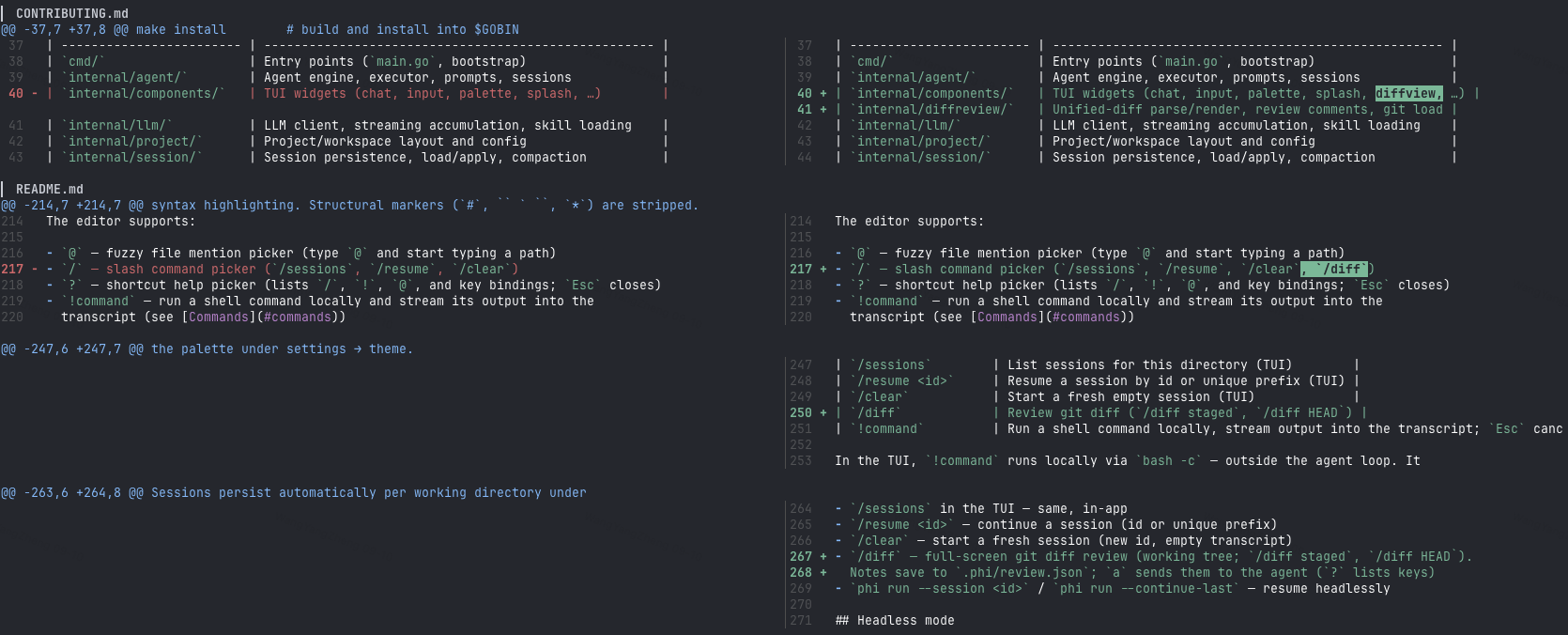
| Command | What opens |
|---|---|
/diff |
Working tree (git diff) |
/diff staged |
Staged changes |
/diff HEAD |
Last commit (git show) |
The slash picker inserts /diff with a trailing space (same pattern as
/resume); submit to open. Inside the overlay: j / k move, s
toggles side-by-side, i adds or edits a note, x deletes, a sends the
notes to the agent, ? shows help, q / Esc close. Notes autosave under
.phi/review.json.